How identitycall.ai works

From raw audio to verified speakers, rich transcripts, and actionable coaching signals—in minutes. Use it live with virtual numbers or upload recordings on their own. Either way, you get the same enterprise‑grade insights.

Two flexible paths

Card icon

Live tracking with virtual numbers

Spin up numbers per campaign, channel, or team. Route calls, greet with smart TTS, and capture every interaction automatically.

Best for: Marketing attribution, multi‑team operations, and real‑time coaching.

You’ll get: Source attribution, call metadata, live-compatible insights, and ROI views across channels.

What’s included:

  • check icon

    Instant number provisioning (local & toll‑free)

  • check icon

    IVR greetings and routing you can edit anytime

  • check icon

    Source tracking & attribution dashboards

  • check icon

    Conversation intelligence and QA scoring

  • check icon

    CRM/webhook sync

Card icon

Standalone uploads (no numbers needed)

Bring recordings from anywhere-dialers, PBXs, call centers, mobile devices, or meeting tools-and analyze them independently.

Best for: Compliance reviews, historical imports, vendor recordings, research projects.

You’ll get: The same transcription, biometrics, and scoring as live tracking-without changing your telephony.

What’s included:

  • check icon

    Drag‑and‑drop uploads (MP3/WAV/MP4/FLAC up to 2GB)

  • check icon

    Dedicated upload quotas per plan

  • check icon

    98% transcription accuracy with punctuation and timestamps

  • check icon

    Biometric speaker ID and repeat‑caller matching

  • check icon

    Exportable reports and API access

Step‑by‑step details

1

Connect or upload

Connect calls via virtual numbers or upload files for instant, context-rich analysis.

Supported formats: MP3, WAV, MP4, FLAC
File size limit: Up to 2GB per file
Languages: Multi‑language transcription & TTS support
Security: TLS 1.3 in transit, AES‑256 at rest, RBAC and audit logs
how_it_works_page.sections.step_by_step.steps.step_1.title

2

AI processing

Our technology automatically turns speech into clean, easy-to-read transcripts — complete with timestamps and speaker separation. It’s built to understand your world, so product names, acronyms, and industry terms are transcribed correctly.

What you’ll see:

  • -

    Turn‑by‑turn transcript with timestamps

  • -

    Important terms highlighted and key details (like dates, prices, or links) pulled out automatically

  • -

    Confidence scores and word‑level timing

  • -

    Language auto‑detection and diarization prep

how_it_works_page.sections.step_by_step.steps.step_2.title

3

Biometric analysis

We generate voice embeddings-compact acoustic signatures-to diarize speakers on a call and match returning voices across interactions.

Capabilities:
Automatic diarization: “Agent”, “Caller 1”, “Caller 2” labeled with segments
Repeat‑caller matching: 97%+ typical repeat‑match accuracy under good audio
Profile building: Unified caller timelines with past transcripts, notes, and outcomes
how_it_works_page.sections.step_by_step.steps.step_3.title

4

Insights & scoring

We apply emotion signals, script/compliance rubrics, and performance metrics to each interaction—then roll them up to teams and campaigns.

Out‑of‑the‑box signals:

  • -

    Emotion & sentiment trends over time

  • -

    Talk ratio, dead‑air, over‑talk, interruption hotspots

  • -

    Keyword/objection detection and intent cues

  • -

    Custom QA Goals & Scoring with bias‑free, repeatable criteria

Coach faster:

  • -

    Auto‑flags for at‑risk calls or missed steps

  • -

    Playlists of moments to review (e.g., “Objection handling”, “Compliance risk”)

  • -

    Team dashboards with score trends and improvement areas

how_it_works_page.sections.step_by_step.steps.step_4.title

5

Export & Integrate

Move insights where work happens.

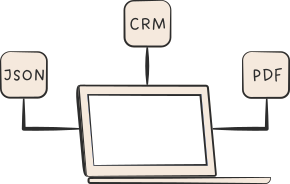
One‑click exports: PDF summaries, CSV tables, JSON, and raw transcripts
Integrations: CRMs (e.g., push notes, outcomes, and next steps), help desks, data warehouses, and BI tools
Automation: Webhooks and REST API for custom workflows
Governance: Exports respect role permissions and redaction policies
how_it_works_page.sections.step_by_step.steps.step_5.title

questionmark icon

How it works FAQs

Get started in minutes

Start your free 14‑day trial - no credit card required.